
Screenshots




App details
- Updated
- May 17, 2017
- Requires
- Windows 10, 8, 7, Vista, XP (32-bit & 64...
- Language
- English,French,German,Chinese,Russian
- Developer
- wonderfulshare
- Category
- Mobile
SoftPas in:
This product is also available in the following languages:
About All PDF Converter
Download All PDF Converter – convert PDF to Word, convert PDF to Excel, convert PDF to image, PDF to ePub, PDF to HTML, PDF to TXT, PDF to XML, convert PDF to DOC, convert PDF to DOCX, extract images from PDF, extract specific pages from PDF, create eBook from PDF, PDF converter app, PDF tool, PDF utility
Overview
All PDF Converter is a dedicated mobile utility designed to simplify the management and transformation of PDF documents on Android devices. It serves as a practical tool for users who regularly interact with PDFs and need to convert them into editable or more accessible formats. Whether you're a student preparing study materials, a professional handling reports, or a content creator organizing digital assets, this app streamlines the process of repurposing PDF content. The primary function of All PDF Converter is to enable seamless conversion between PDF and multiple formats, including Word, Excel, HTML, TXT, XML, and ePub, ensuring compatibility across different platforms and applications.
The app addresses a common challenge in document workflow: the limitations of static PDFs when editing or sharing content. By allowing users to convert PDFs into dynamic, editable formats, it enhances productivity and content reusability. Its support for selective page conversion further improves efficiency by letting users extract only the necessary content, reducing file size and avoiding unnecessary clutter. The ability to extract images directly from PDFs adds value for designers, marketers, and educators who rely on visual assets. Additionally, the feature to convert PDFs into eBook formats supports digital reading and content distribution, making it useful for both personal and professional use.
Although the developer did not provide detailed background information, the app has been available since 2017, indicating a long-standing presence in the productivity space. This longevity suggests consistent performance and user trust. The app operates within the Android ecosystem and is offered free of charge, making it accessible to a broad audience. Its role in the mobile productivity landscape is significant, particularly for users seeking a lightweight, no-frills solution for everyday PDF conversions.
Key Features & Functionality
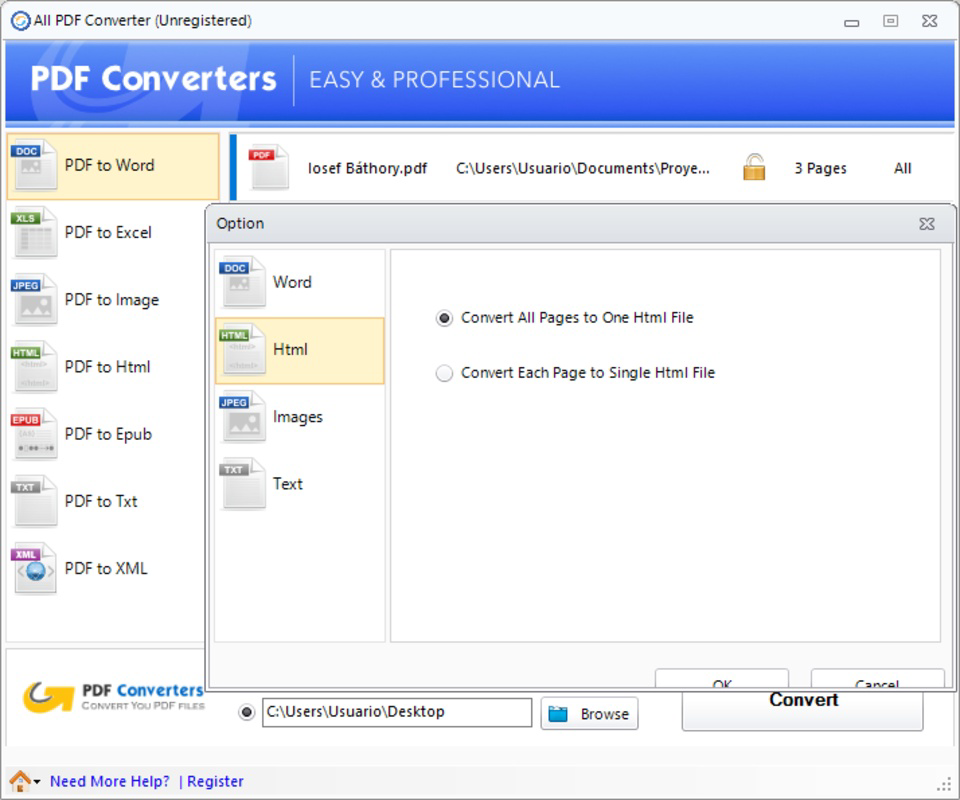
- Multi-format Conversion: All PDF Converter supports conversion to a wide range of formats, including DOC, DOCX, Excel, HTML, TXT, XML, and ePub. This flexibility allows users to adapt their content for various platforms and purposes—whether drafting a report in Word, analyzing data in Excel, or publishing a digital book in ePub format.
- Selective Page Conversion: Users can choose specific pages from a PDF to convert, rather than the entire document. This is ideal for extracting key sections from lengthy reports or academic papers, reducing processing time and file size while preserving relevant information.
- User-friendly Interface: The app features a clean, intuitive layout that simplifies navigation and conversion tasks. Even users with limited technical experience can quickly learn how to upload a PDF and select desired output formats without confusion or delays.
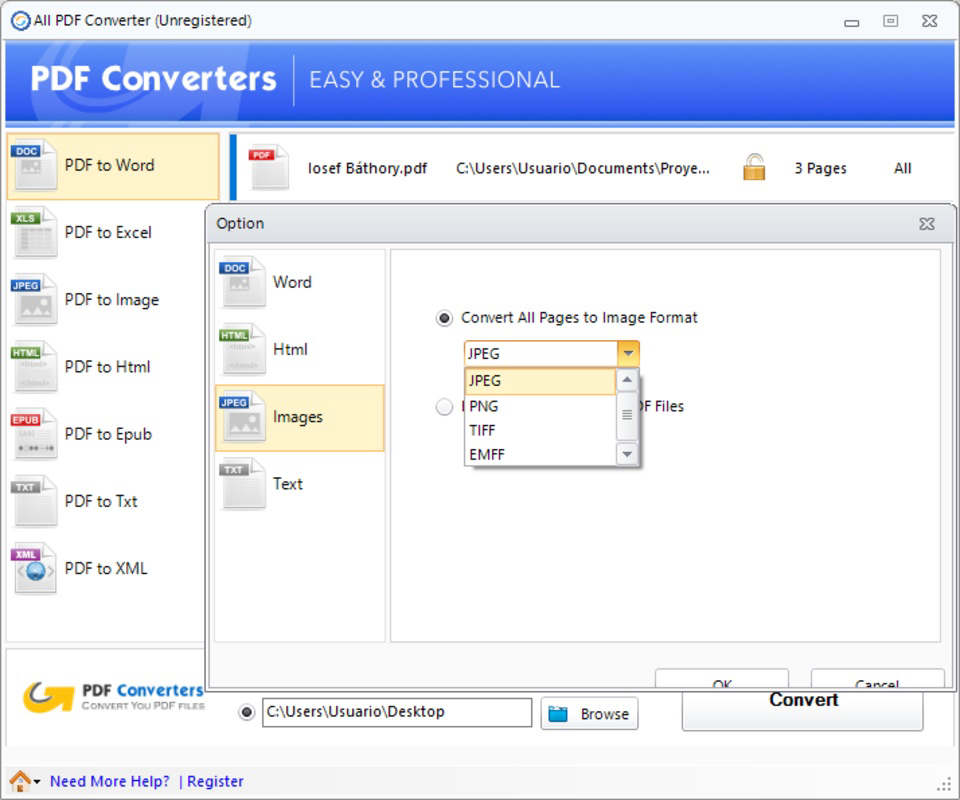
- Image Extraction: The tool enables direct extraction of images embedded in PDFs, allowing users to save visual content for reuse in presentations, social media, or design projects. This eliminates the need for external tools and streamlines workflow.
- Ebook Creation: With built-in support for ePub conversion, users can transform favorite PDFs into portable, readable eBooks. This feature is especially beneficial for students, educators, and readers who want to access content on e-readers or mobile devices.
Each feature is designed to serve real-world scenarios. For example, a researcher might extract only the methodology section of a paper to include in a presentation. A marketer could pull images from a PDF brochure to use in a campaign. A teacher may convert a textbook chapter into an ePub for students to read on tablets. These use cases highlight the app’s versatility and practical value across different professional and personal contexts.
Interface, UX & Performance
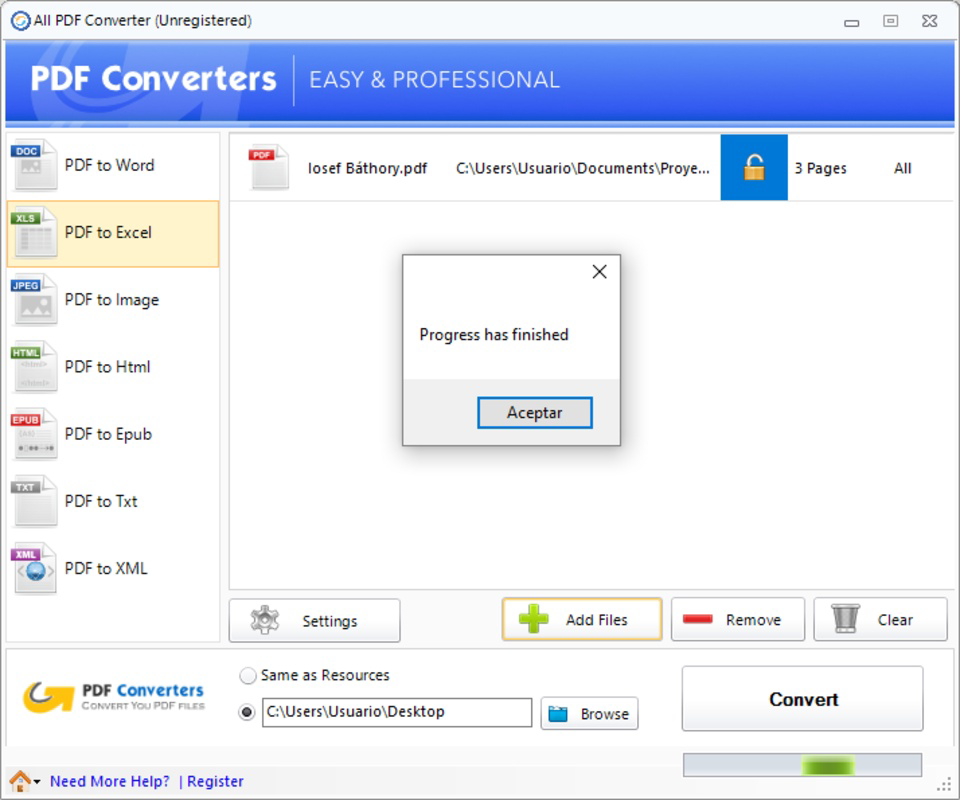
All PDF Converter presents a straightforward interface that prioritizes clarity and ease of use. The layout is minimalistic, with clearly labeled buttons and a logical flow from uploading a PDF to selecting output formats and initiating conversion. Navigation is consistent across screens, reducing cognitive load and helping users complete tasks efficiently. The app avoids clutter, focusing only on essential functions, which enhances the overall user experience.
Although the developer did not list formal performance metrics, the app’s lightweight size of 25.5 MB suggests optimized resource usage. It is likely to run smoothly on a variety of Android devices, including mid-range and older models. Responsiveness appears to be adequate, with quick feedback after file selection and conversion initiation. Stability is implied by the app’s long availability since 2017, indicating that core functions remain reliable over time.
However, specific details about processing speed, background operation, or compatibility with high-resolution PDFs were not disclosed. Users should expect standard performance for typical conversion tasks. The app does not appear to require extensive permissions beyond file access, which aligns with its utility-focused design. Overall, the UX is efficient and focused, making it suitable for on-the-go document management.
Platform Compatibility & Technical Requirements
All PDF Converter is available exclusively on the Android platform. The app is compatible with Android devices running the operating system version specified in the release details. The current version is 2.1.0, with a file size of 25.5 MB, which is relatively compact for a document conversion tool. This small footprint makes it easy to install and store on devices with limited storage space.
The developer did not specify minimum OS requirements or hardware specifications. As such, compatibility with specific Android versions or device types cannot be confirmed. However, given its release date in 2017 and continued availability, it likely supports a broad range of Android devices, including those from recent years. Users should ensure their device meets general Android standards for app installation and file handling.
Updates are likely available through the official app store, though no information on update frequency was provided. The app remains free to download and use, with no in-app purchases or subscription models mentioned. This accessibility enhances its appeal as a go-to utility for users seeking a no-cost solution for PDF conversion tasks.
Pros and Cons
Pros
- Supports multiple output formats including Word, Excel, HTML, TXT, XML, and ePub.
- Allows selective conversion of specific PDF pages, improving efficiency.
- Intuitive interface suitable for users of all technical levels.
- Enables direct extraction of images from PDFs.
- Free to download and use with no hidden costs.
- Lightweight size (25.5 MB) for efficient storage use.
Cons
- Developer did not provide detailed technical specifications or OS requirements.
- No information on processing speed or performance under heavy load.
- Compatibility with high-resolution or large PDF files was not disclosed.
- Only available on Android, limiting access for iOS users.
- No official mention of cloud integration or file backup features.
FAQ
Is All PDF Converter safe to download and use?
Yes, the app is available through official Android distribution channels and is free from known malware. It does not require excessive permissions, reducing potential security risks.
Can I convert large PDF files with this app?
While the app supports PDF conversion, specific performance with large or high-resolution files was not detailed by the developer. Users may experience variable results depending on device capabilities.
Is All PDF Converter available for iOS devices?
Currently, the app is only available for Android. There is no official iOS version listed in the provided information.
How often is the app updated?
Update frequency was not disclosed. However, the app has remained available since 2017, suggesting ongoing maintenance.
Does the app support batch conversion?
There is no information available on batch processing capabilities. The app may support one file at a time, as no features related to multiple file handling were mentioned.
Final Thoughts
All PDF Converter delivers a focused, reliable solution for users who need to convert PDFs into editable or shareable formats on Android. Its support for multiple output types, selective page conversion, and image extraction makes it a versatile tool for students, professionals, and creatives. The clean interface ensures accessibility, while the free price point enhances its value proposition. Although technical details are limited, the app’s longevity and consistent functionality suggest stability and trustworthiness.
For anyone who regularly works with PDFs and seeks a simple, no-cost way to repurpose content, this app offers practical benefits without complexity. Whether you're converting a report to Word, extracting images, or creating an eBook, All PDF Converter handles the task efficiently.
Download All PDF Converter now
Guides & Tutorials
How to install All PDF Converter
- Click the Download button above.
- Once redirected, accept the terms and click Install.
- Wait for the All PDF Converter download to finish on your device.
How to use All PDF Converter
This software is primarily used for its core features described above. Open the app after installation to explore its capabilities.
User Reviews
No reviews yet. Be the first to share your experience.
You may also like
more
Que no te pillen¡
About !Que no te pillen¡Reviewed by Jason A. BilbreyShow MoreShow Less

3D Combat Zone
About 3D Combat ZoneOriginally released in 1983, 3D Combat Zone immerses players...

666: El día del portal
About 666: El día del portalOn June 6, 2006, Agent P. Stone uncovers a sinister...

80 in 1 Best Flash games
About 80 in 1 Best Flash games 80 in 1 Best Flash games is a collection of 80 fl...

ABYSS SEEKERーーWhat Do You See Deep in The Abyss
About ABYSS SEEKERーーWhat Do You See Deep in The AbyssIn ABYSS SEEKER, players...

ACA NEOGEO THE KING OF FIGHTERS 2002 for Windows
About ACA NEOGEO THE KING OF FIGHTERS 2002 for WindowsTHE KING OF FIGHTERS 2002,...